free markdown extension

The nicest way to write markdown in VS Code.

A WYSIWYG editor, kanban boards, and file viewers for product managers, writers, and anyone who lives in docs.

Install free

For VS Code, Cursor, Windsurf, Antigravity, and other VS Code editors.

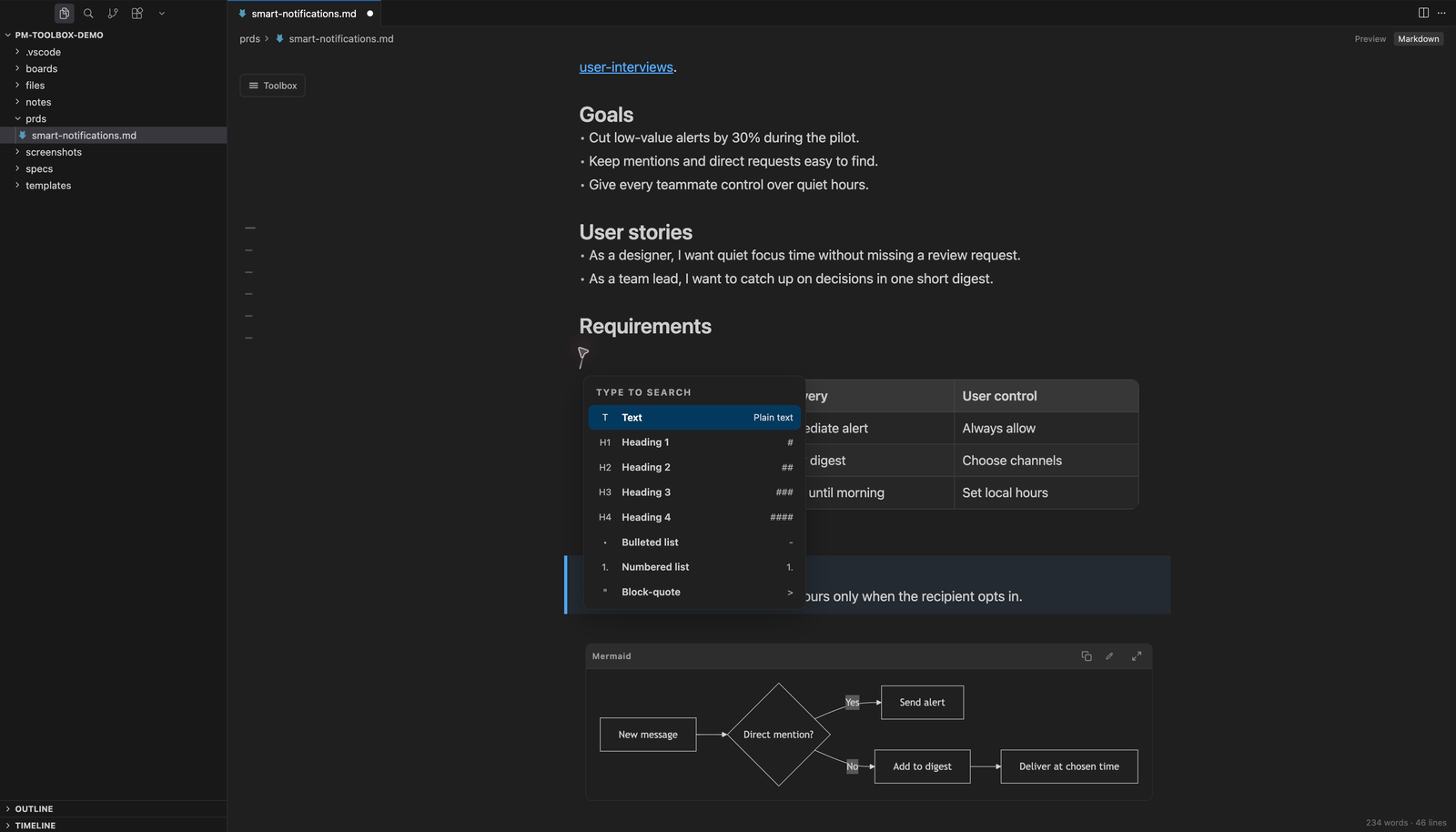
A product requirements document open in PM Toolbox inside Cursor, with the slash menu listing headings, lists, and other blocks.

features

Everything a PRD needs, inside your editor.

You see headings, tables, and checkboxes while you write. The file on disk is still markdown, so git, pull requests, and AI agents work with it like before.

slash commands

Type / for anything.

One key opens every block and template. No toolbar hunting and no markdown syntax to remember.

  • Headings, lists, tables, callouts, and diagrams
  • Your own templates, like PRDs and meeting notes
  • Template variables such as {{date}} filled in for you
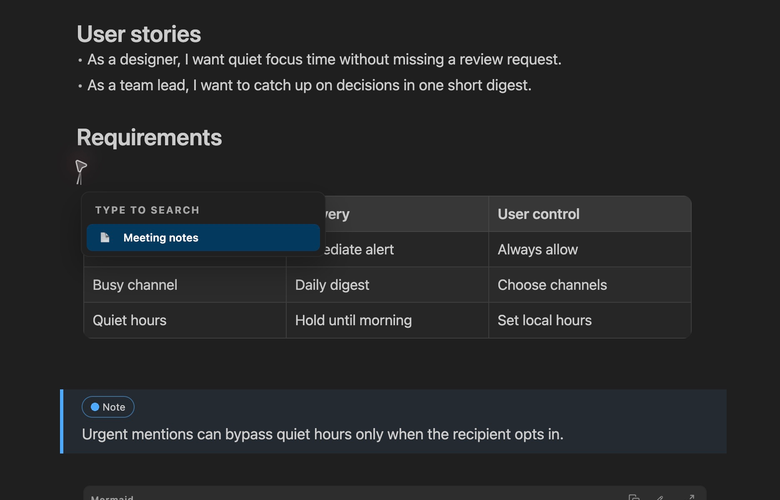
The PM Toolbox slash menu with the Meeting notes template highlighted.

ai change tracking

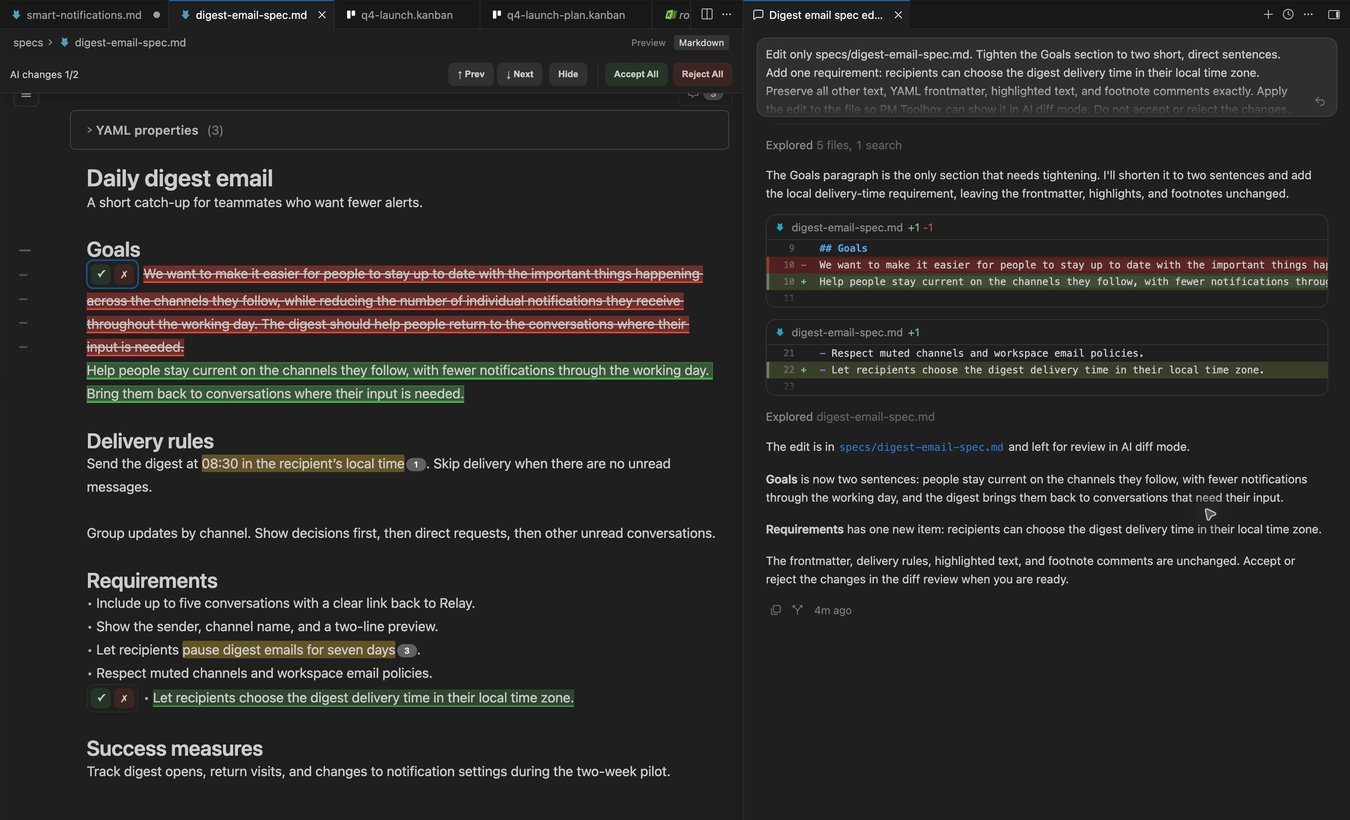
See exactly what AI changed.

When an AI agent edits your doc, every change is highlighted right in the formatted page. Review it like a tracked-changes doc.

  • Works with Claude Code, Cursor, Copilot, and more
  • Accept or reject one change or all of them
  • Read the diff as formatted text, not raw markdown
A spec in PM Toolbox showing removed text in red and added text in green, with accept and reject buttons, next to the Cursor agent chat.

kanban boards

Boards that are just markdown.

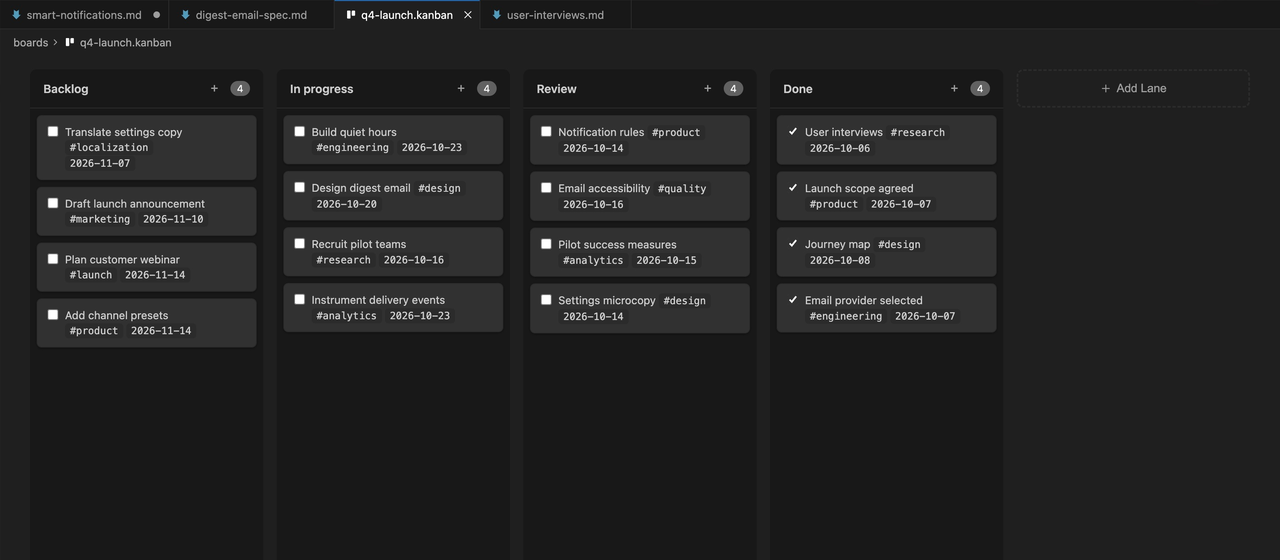
Plan a launch on a real board. Each column is a heading and each card is a checkbox, so the board lives in your repo next to the spec.

  • Drag cards between columns
  • Tags, dates, and wiki links on cards
  • Archive finished cards
A Q4 launch kanban board in PM Toolbox with Backlog, In progress, Review, and Done columns, and cards with tags and dates.

comments

Review specs together.

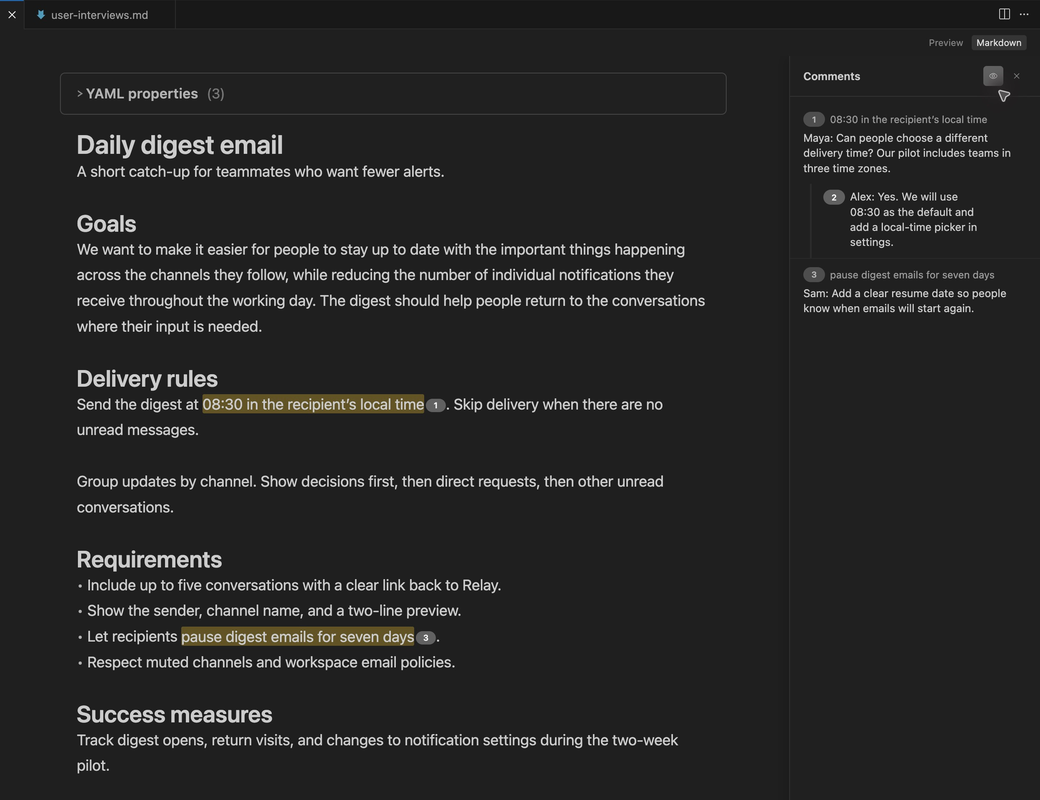
Leave comments on the exact sentence that needs work, and see every thread in one panel.

  • Highlight text to comment
  • Reply, edit, and delete in threads
  • Comments live in the file and travel through git
A spec in PM Toolbox with highlighted text and the comments panel showing a thread with a reply.

rich blocks

Tables, callouts, and diagrams.

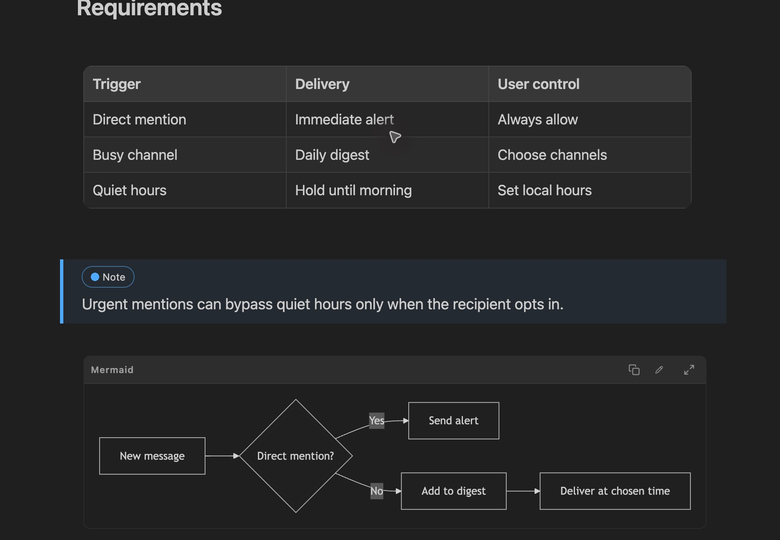
Everything a good PRD needs renders inline as you write, from a decision table to a flowchart.

  • Edit tables cell by cell, add rows and columns
  • Note, tip, important, warning, and caution callouts
  • Mermaid diagrams with zoom and fullscreen
A PRD in PM Toolbox with an editable table, a note callout, and a rendered Mermaid flowchart.

and more

Also included.

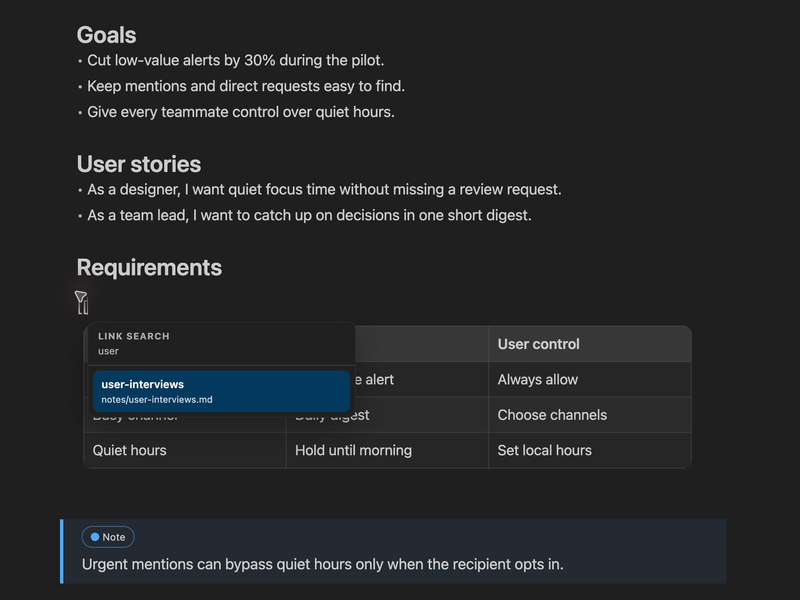
Typing two square brackets in PM Toolbox opens a search of notes in the workspace.
  • Wiki links

    Type [[ to link any note in your workspace, with search as you type.

  • Outline

    A slim rail of headings that jumps you around long docs.

  • Find and replace

    Cmd+F and Cmd+H, in docs and on boards.

  • YAML properties

    Frontmatter shown as tidy, typed fields at the top of the doc.

  • Export

    Save any doc as PDF, HTML, or clean markdown.

  • Image paste

    Paste or drop an image. It is saved to your attachments folder and linked.

  • Right-to-left text

    Hebrew, Arabic, and Persian docs read the right way, detected automatically.

  • Copy to chat

    Select text and send it to your AI chat with its file and line context.

built-in viewers

Open PDF, Word, Excel, and CSV files without leaving your editor.

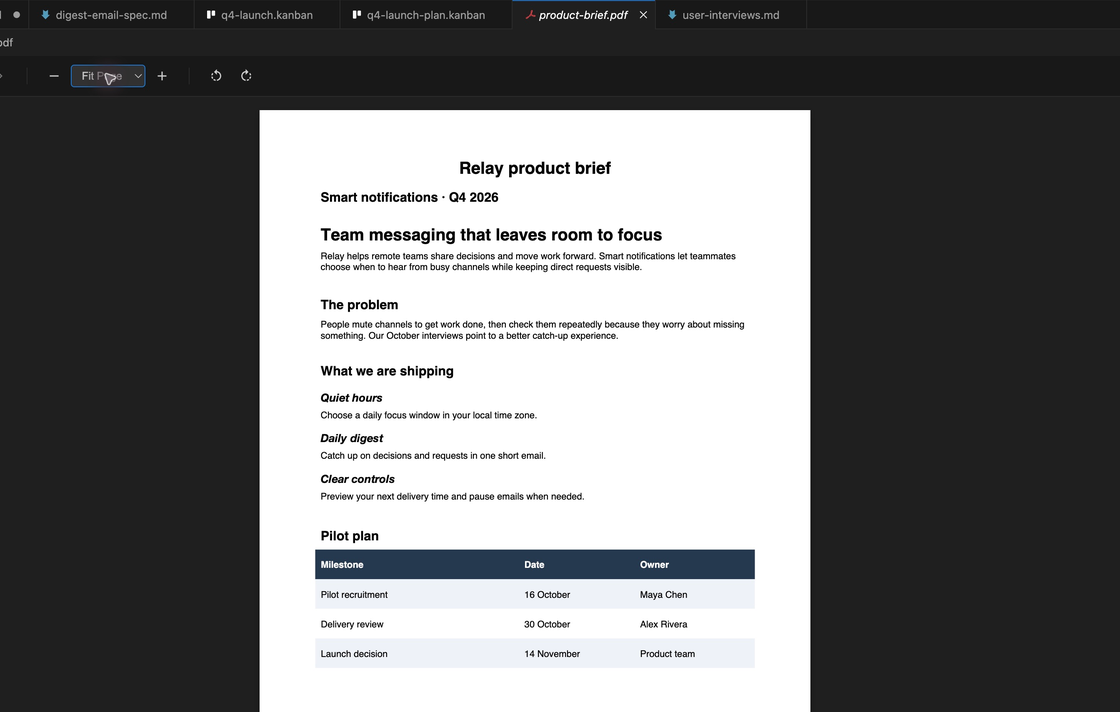
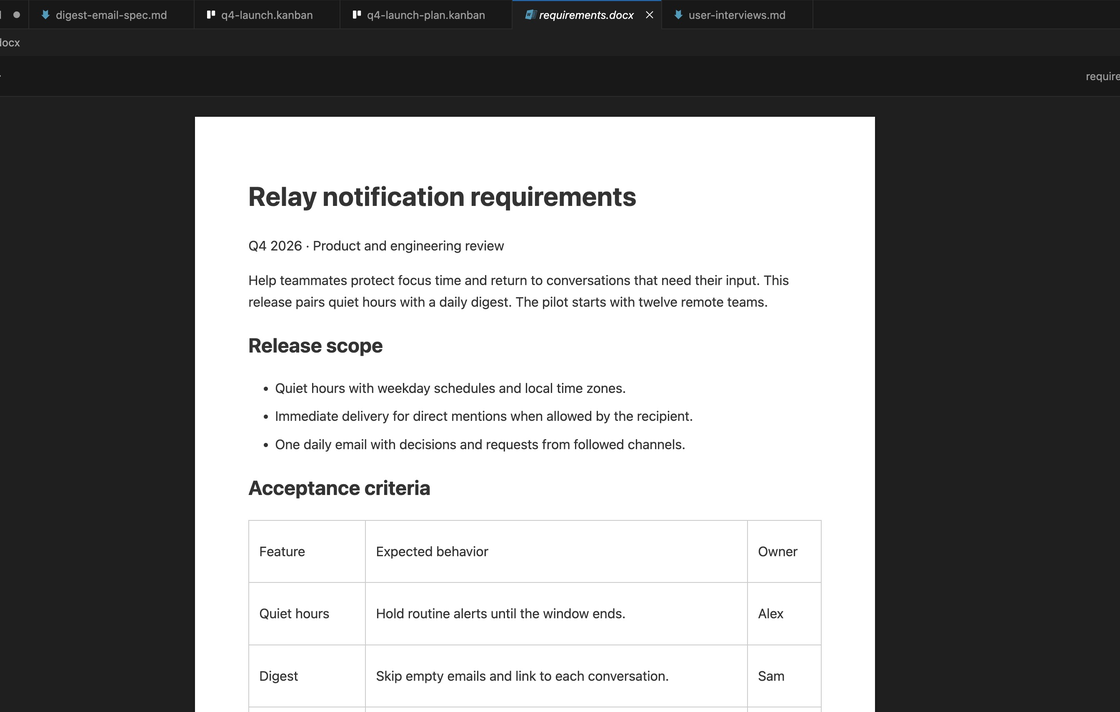
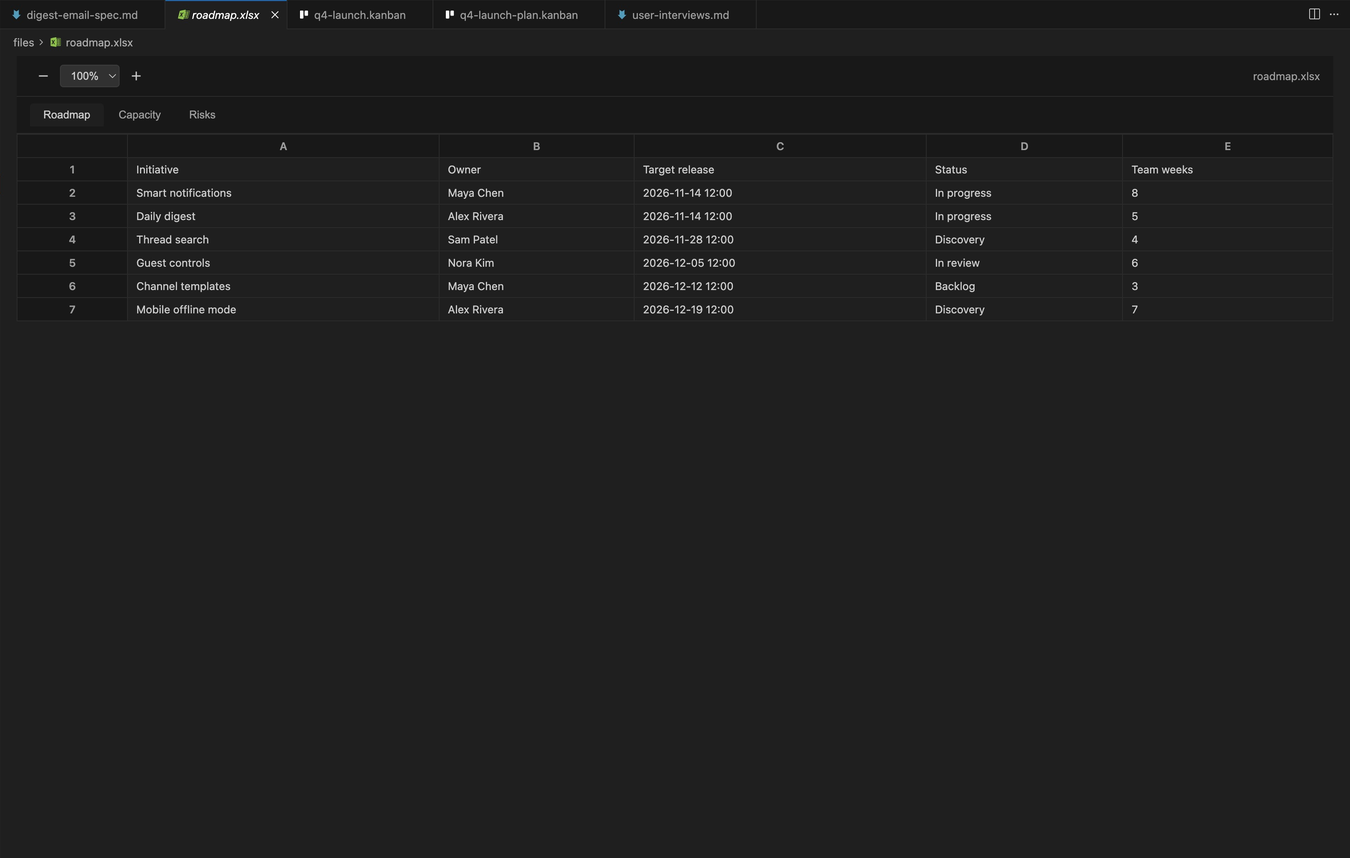
Read the brief, check the roadmap, and sort the feedback in the same window as your docs.

  • A product brief PDF open in the PM Toolbox PDF viewer inside Cursor.

    PDF

    Zoom and page through briefs and contracts.

  • A requirements document in Word format open in the PM Toolbox Word viewer.

    Word

    Read .docx files with their formatting.

  • A roadmap spreadsheet open in the PM Toolbox Excel viewer with sheet tabs.

    Excel

    Browse every sheet with tabs.

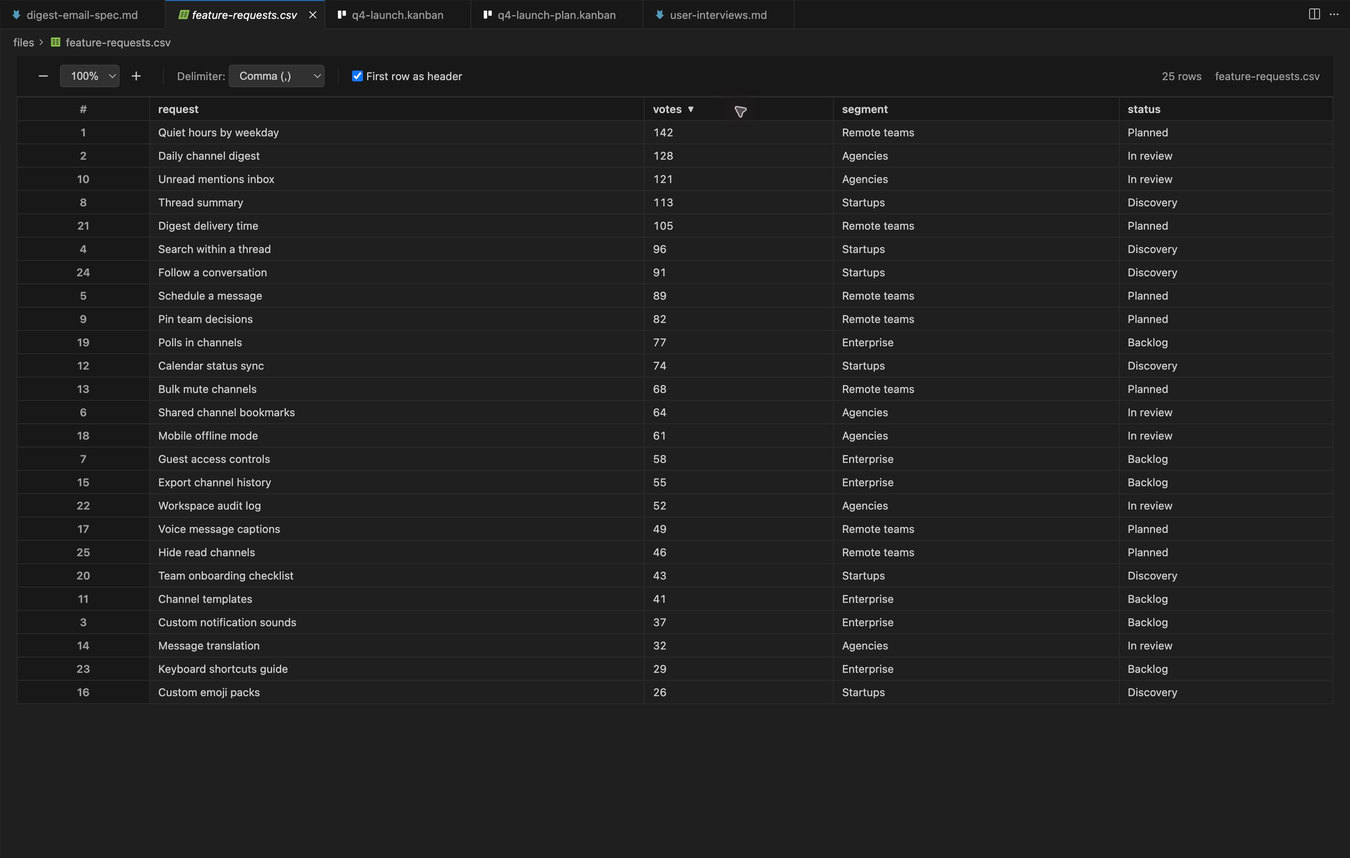
  • A feature request CSV sorted by votes in the PM Toolbox CSV viewer.

    CSV

    Sort any column with a click.

for product managers

Keep your PRDs where the work happens.

Write PRDs, specs, and roadmaps in the same repo as the code. Engineers review them in pull requests, and AI agents read the spec you actually wrote, not a copy pasted from another tool.

PM Toolbox for product managers

faq

Common questions

Is PM Toolbox free?

Yes. PM Toolbox is free to install and use, with no account, no trial, and no paid tier.

Does it work in Cursor, Windsurf, and Antigravity?

Yes. Cursor, Windsurf, Antigravity, and other VS Code based editors install it from Open VSX. VS Code installs it from the VS Code Marketplace. Click Install free and pick your editor.

Does it change my markdown files?

Your files stay plain markdown that any other editor can open. PM Toolbox keeps your line endings, and comments are saved in the file as highlights with markdown footnotes.

Does it collect any data?

No. PM Toolbox has no analytics and never sends your documents anywhere.

Can I switch back to the normal editor?

Any time. Use Open With to pick the built-in text editor for one file, or run "PM Toolbox: Toggle Extension On/Off" to turn it off everywhere and back on again.

Which file types does it open?

Markdown (.md) in the WYSIWYG editor, .kanban files as boards, and read-only viewers for PDF, Word (.docx), Excel (.xlsx), and CSV or TSV files.

Write your next doc in PM Toolbox.

Downloaded 14,000+ times. Install it, open any .md file, and type /.

Install free

For VS Code, Cursor, Windsurf, Antigravity, and other VS Code editors.

Which editor do you use?

You can also open the Extensions view in your editor and search for PM Toolbox.