ai change tracking

See exactly what AI changed in your docs.

AI agents edit your PRDs and specs faster than you can read a diff. PM Toolbox highlights every change in the formatted doc, so you review it like tracked changes and keep only what you want.

Install free

For VS Code, Cursor, Windsurf, Antigravity, and other VS Code editors.

A spec in PM Toolbox showing an AI rewrite of the goals in red and green, with accept and reject buttons, next to the Cursor agent chat.

how it works

Tracked changes for AI edits.

Keep using the AI tools you like. PM Toolbox watches your docs and shows you what changed, in the same formatted view you write in.

review

Readable changes, not raw diffs.

Most diff views show markdown symbols and line numbers. PM Toolbox shows the change where you read it, in the formatted page.

  • Removed text in red, new text in green
  • Shown in the formatted doc, not in markdown syntax
  • Step through changes with Prev and Next
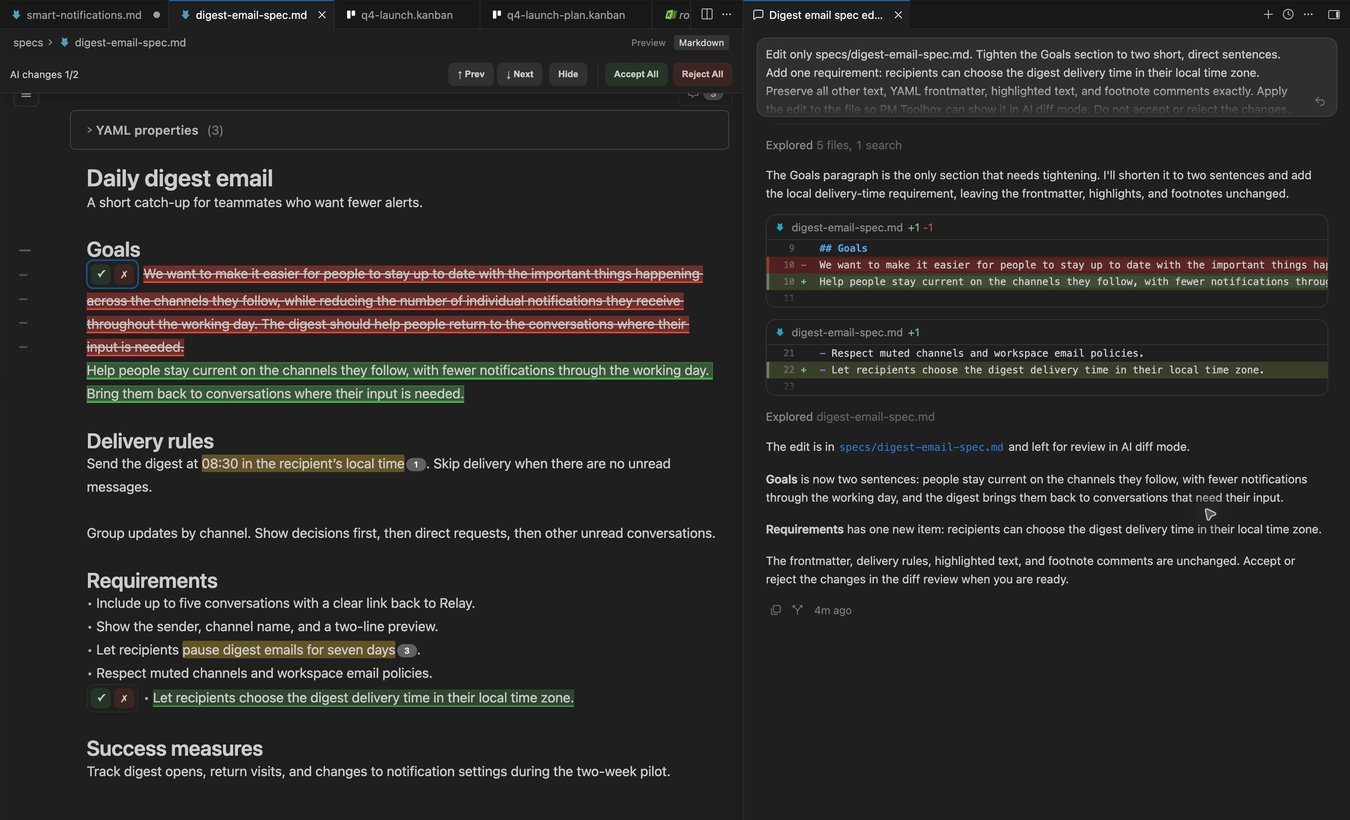
Removed text struck through in red and new text in green inside a formatted PM Toolbox document.

control

Accept or reject, one change at a time.

When your AI tool writes straight to the file, decide on each edit right in the doc. When it has its own review, PM Toolbox shows the changes while you finish there.

  • Accept or reject each change
  • Accept All and Reject All for quick passes
  • For tools with their own review, like Cursor, highlights only
Accept and reject buttons next to a single AI change in PM Toolbox, with Accept All and Reject All in the top bar.

copy to chat

Send the right context to your AI.

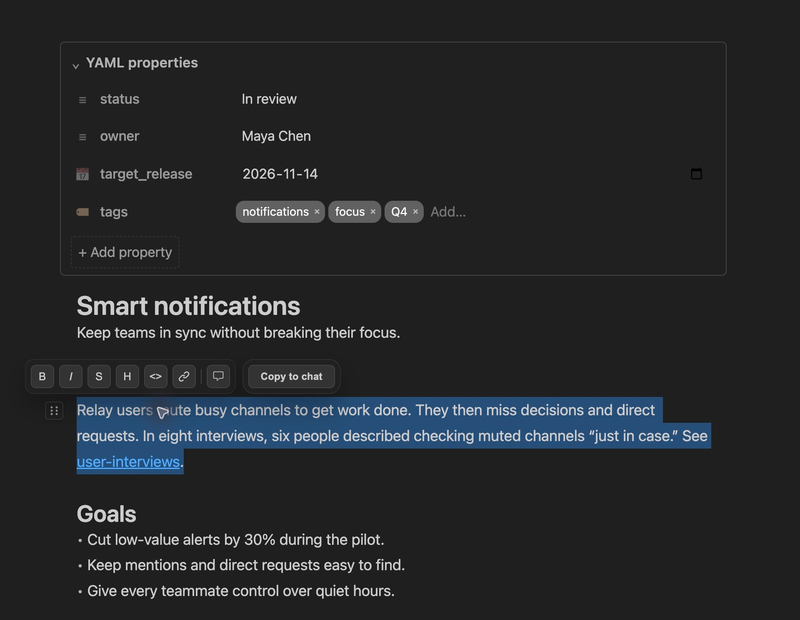
Point your agent at the exact paragraph you want changed. Select it, click Copy to chat, and paste.

  • Select any text in a doc
  • Copy to chat adds the file and line numbers
  • Works with your AI chat of choice
A selected paragraph in PM Toolbox with the selection toolbar showing Copy to chat.

faq

Questions about AI change tracking

Which AI tools does it work with?

Any tool that edits your files, including Claude Code, Cursor, GitHub Copilot, Windsurf, and command line agents. PM Toolbox tracks the change, not the tool.

Where do I accept or reject changes?

It depends on the tool. When a tool writes straight to the file, like Claude Code, you accept or reject each change in PM Toolbox. When a tool has its own review, like Cursor, PM Toolbox highlights the changes in the formatted doc and you finish the review in that tool. Pick the mode in settings.

Does PM Toolbox send my docs to an AI?

No. PM Toolbox has no AI of its own. It only shows what your AI tools changed.

Review your next AI edit in PM Toolbox.

Downloaded 14,000+ times. Install it, open any .md file, and type /.

Install free

For VS Code, Cursor, Windsurf, Antigravity, and other VS Code editors.

Which editor do you use?

You can also open the Extensions view in your editor and search for PM Toolbox.