for product managers

A markdown editor built for product managers.

Write PRDs, specs, and roadmaps next to the code, with slash commands, templates, and comments like in a doc tool. Engineers review them in pull requests, and AI agents read the same file you edit.

Install free

For VS Code, Cursor, Windsurf, Antigravity, and other VS Code editors.

The top of a PRD in PM Toolbox with YAML properties for status, owner, target release, and tags shown as tidy fields.

why product managers use it

Your PRD, in the repo, looking like a PRD.

When product docs live with the code, engineers review them in pull requests and AI agents build from the same spec you wrote. PM Toolbox takes care of the writing experience.

properties

Status, owner, and release at a glance.

Every PRD starts with the basics. PM Toolbox shows your frontmatter as a clean properties panel instead of raw YAML.

  • Frontmatter shown as typed fields
  • Edit status or owner without touching YAML
  • Works with any metadata your team uses
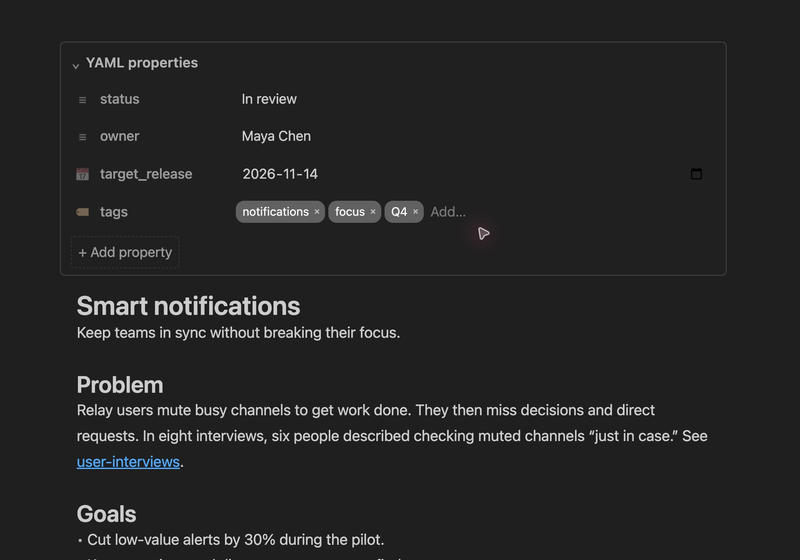
YAML frontmatter shown as editable property fields in PM Toolbox.

templates

Start every PRD the same way.

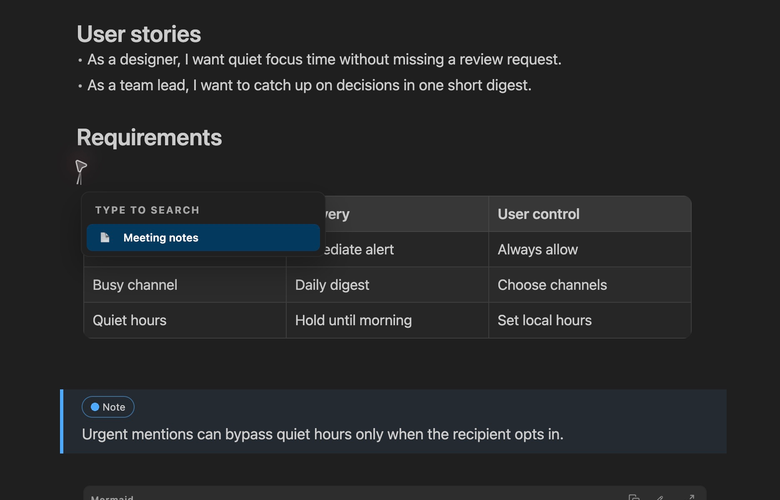
Keep your team's templates in a folder. Type / and pick one, and the structure is there before you write a word.

  • PRD, spec, and meeting note templates
  • Shared through your repo with the whole team
  • Dates and times filled in automatically
The slash menu in PM Toolbox listing a Meeting notes template.

review

Comments where the conversation belongs.

Get feedback on a spec without moving it to another tool. Comments stay with the doc in git.

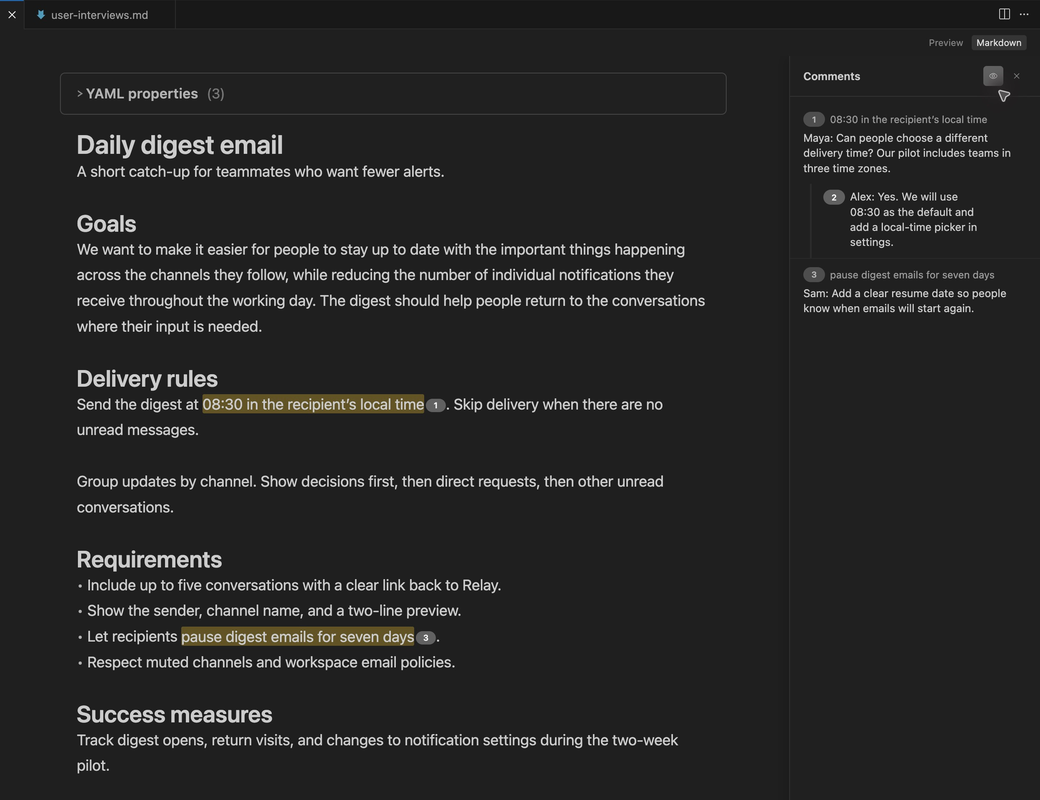
  • Comment on the exact sentence
  • Threads with replies in a side panel
  • Saved in the file, so they show up in pull requests
A spec with a highlighted sentence and a comment thread with a reply in the PM Toolbox comments panel.

ai change tracking

Let AI draft. You decide what stays.

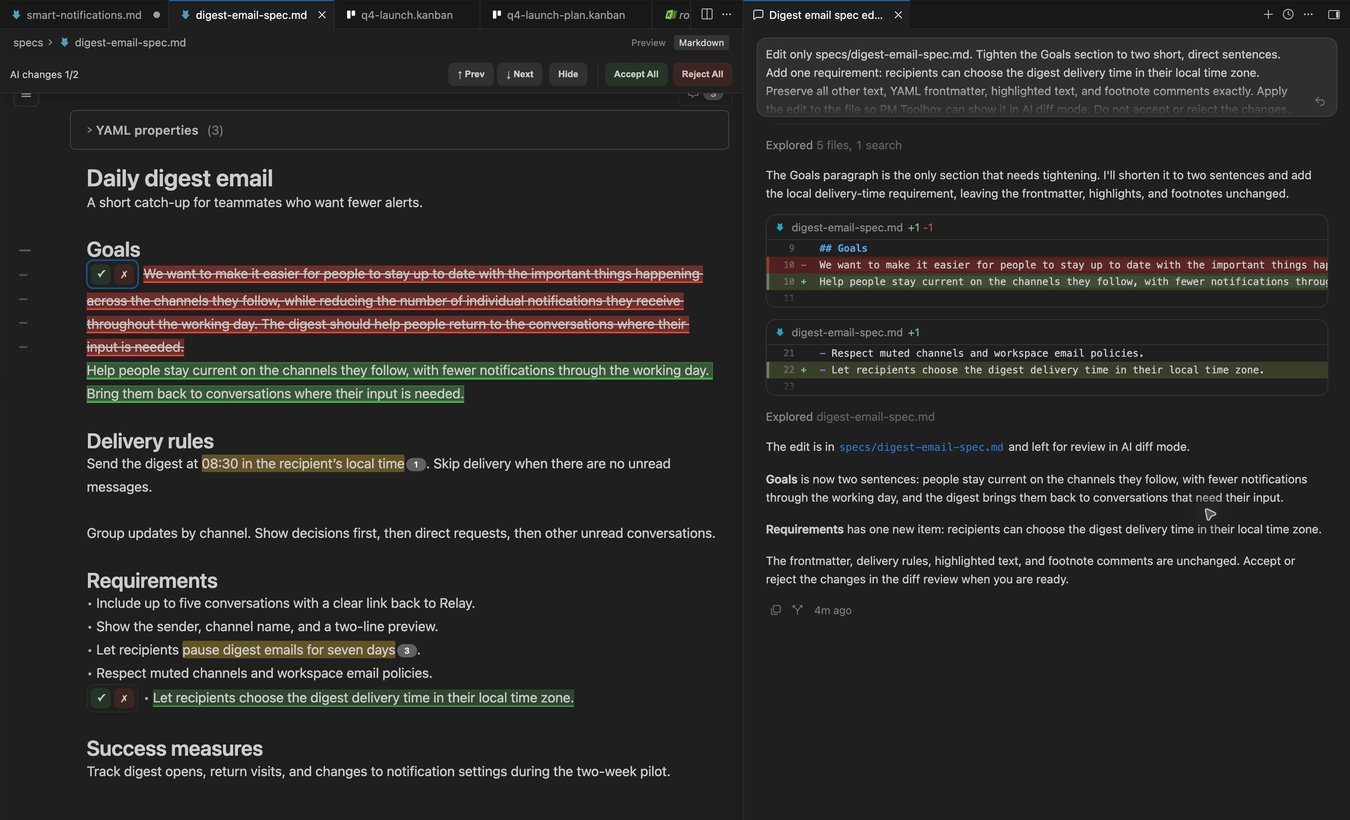
Ask your AI agent to tighten the goals or add a requirement, then review its edits like tracked changes.

  • Every AI edit highlighted in the formatted doc
  • Accept or reject each change
  • Works with Claude Code, Cursor, and Copilot
AI edits to a spec highlighted in PM Toolbox, with accept and reject controls, beside the Cursor agent chat.

linked notes

Connect PRDs, research, and decisions.

Link the PRD to the interview notes and the decision log, the way you would in Notion or Obsidian.

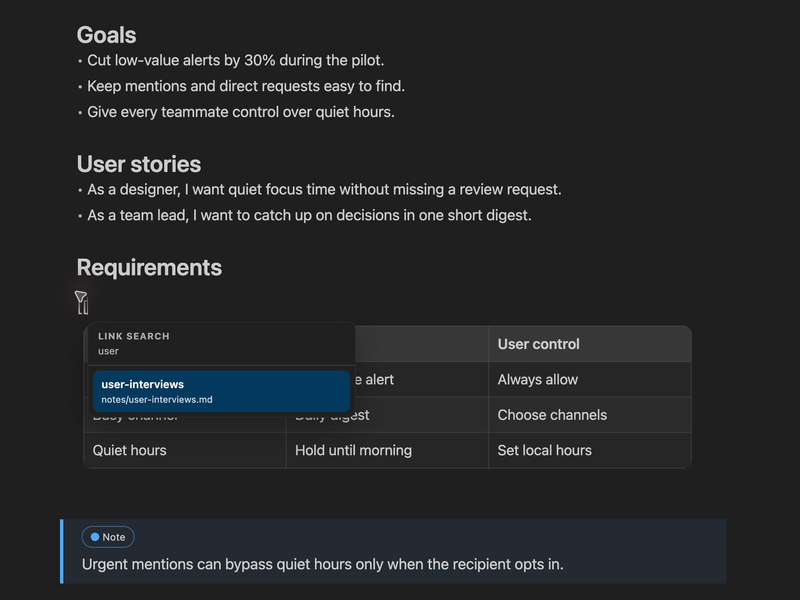
  • Type [[ to link any note
  • Search as you type
  • Links stay valid markdown
The PM Toolbox wiki link picker searching notes for user interviews.

faq

Questions from product managers

Why write PRDs in VS Code instead of Notion or Google Docs?

When your PRDs and specs live in the same repo as the code, engineers review them in pull requests and AI agents read the same files you do. PM Toolbox makes that markdown as pleasant to write as a doc tool.

Do I need to know markdown?

No. Type / for headings, lists, tables, callouts, and diagrams. You see formatted text as you write, and the file is saved as markdown behind the scenes.

Can my team review a spec?

Yes. Highlight text to add a comment, reply in threads, and see every comment in the side panel. Comments are saved in the file, so they travel with it through git.

Can I start every PRD from the same template?

Yes. Point PM Toolbox at a templates folder, and every template shows up in the slash menu with variables like {{date}} filled in for you.

Write your next PRD in PM Toolbox.

Downloaded 14,000+ times. Install it, open any .md file, and type /.

Install free

For VS Code, Cursor, Windsurf, Antigravity, and other VS Code editors.

Which editor do you use?

You can also open the Extensions view in your editor and search for PM Toolbox.