drag and drop
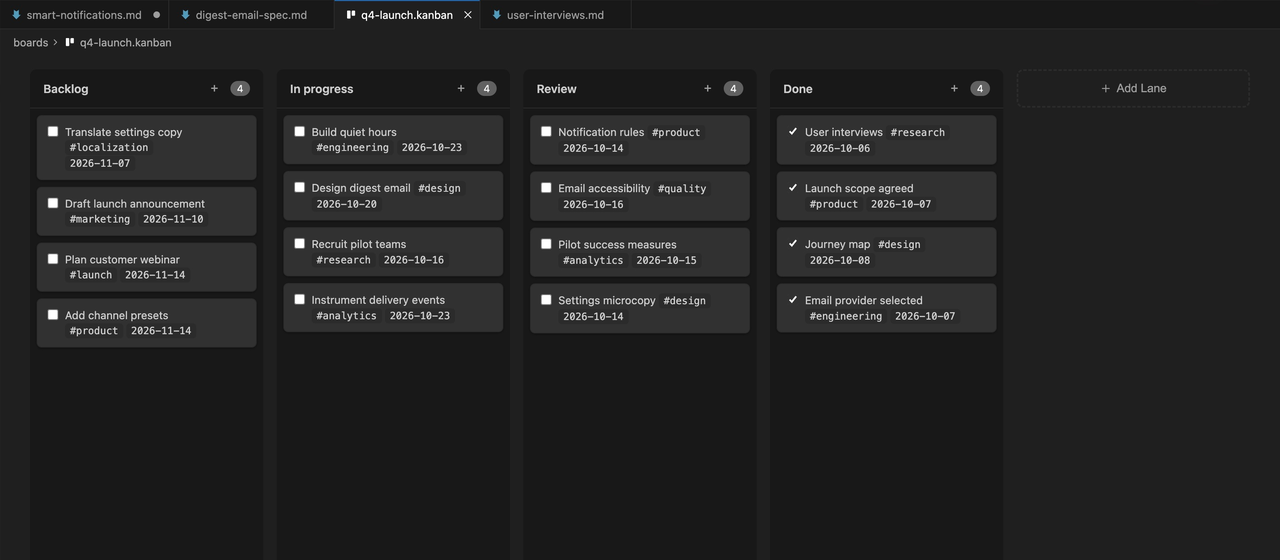
Move work like you would on any board.
Everything you expect from a kanban tool, inside the editor you already have open.
- Drag cards between columns
- Add, rename, and reorder columns
- Archive done cards to a hidden column
kanban boards
Plan a launch or run a sprint on a drag and drop board. Each board is a markdown file in your repo, so every change shows up in git.
For VS Code, Cursor, Windsurf, Antigravity, and other VS Code editors.
plain text underneath
That is the whole format. Anyone can read the board in a pull request, and any AI agent can update it.
# Backlog
- [ ] Draft launch announcement #marketing @{2026-11-10}

# In progress
- [ ] Build quiet hours #engineering @{2026-10-23}

# Done
- [x] Launch scope agreed #product
drag and drop
Everything you expect from a kanban tool, inside the editor you already have open.
docs to boards
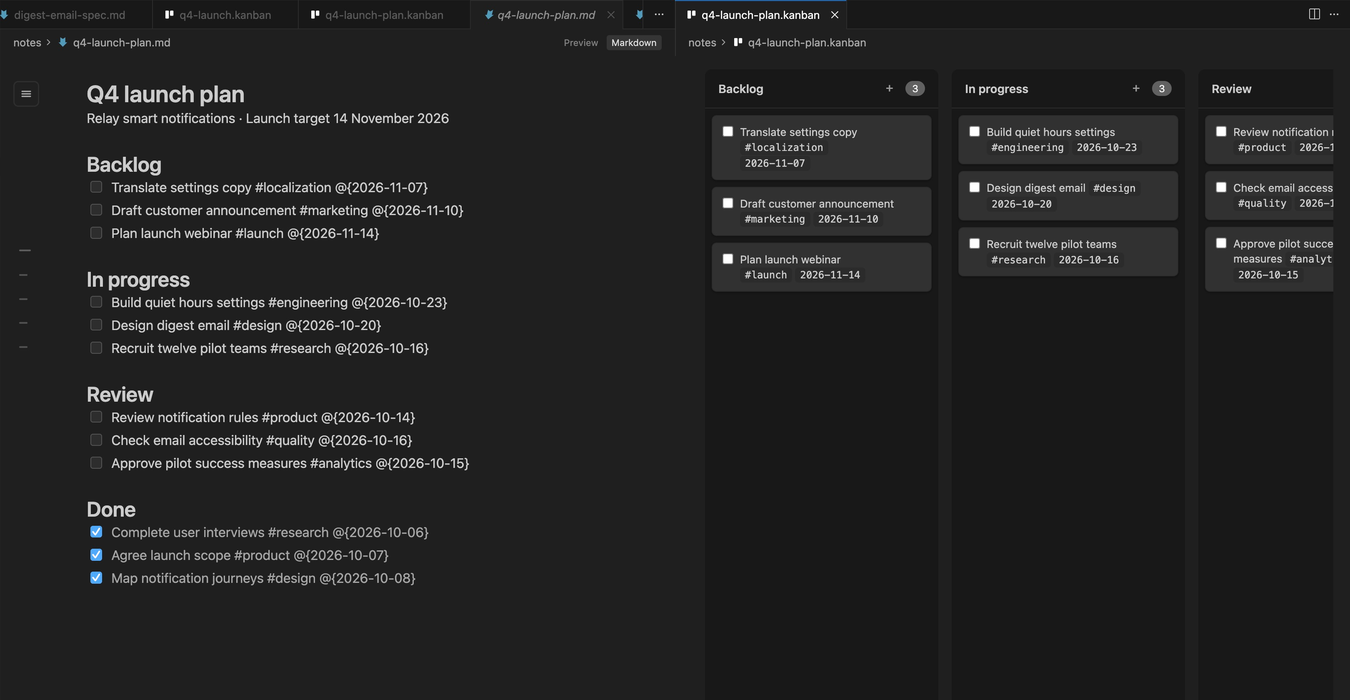
Already have a launch plan with headings and checklists? One command turns it into a board.
faq
As a markdown file. Each column is a heading and each card is a checkbox item, so boards diff cleanly in git and stay readable in any editor.
Yes. Run "PM Toolbox: Convert to Kanban Board" on a markdown file, and run "Convert to Markdown" to go back.
Text, #tags, dates written as @{2026-11-14}, and wiki links to other notes. Notes under a column heading stay in the file untouched.
Downloaded 14,000+ times. Install it, open any .md file, and type /.
For VS Code, Cursor, Windsurf, Antigravity, and other VS Code editors.